
McDonald's review
 Analysis by GetAllApps
I’d consider McDonald’s when I already know I’m likely to eat there and want to check the menu, look for an offer, or place an order before reaching the counter. It is a free Food & Drink app from McDonalds USA, LLC, built around the chain’s own ordering and rewards experience rather than restaurant discovery across many brands. That focus is both its main advantage and the first question to ask yourself: do you visit McDonald’s often enough for a dedicated app to be useful?
Start with how you actually order
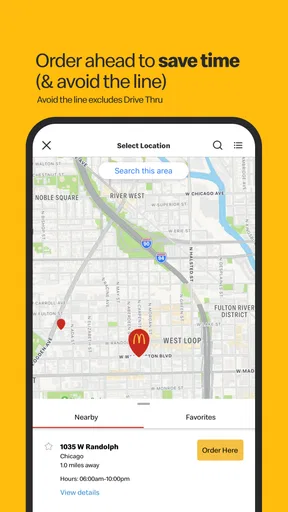
The app makes the most sense for people who like to decide what they want before they arrive. Instead of joining a queue and choosing under pressure, you can browse the McDonald’s menu and work through an order on your phone. That is handy when you have a short break, are collecting food for someone else, or want a little time to compare choices before committing.
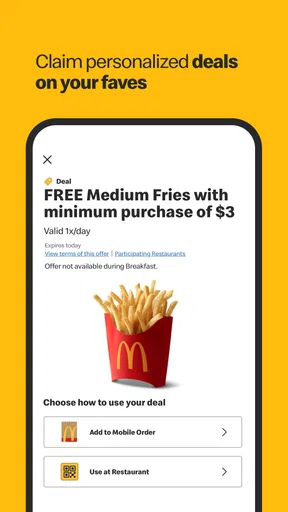
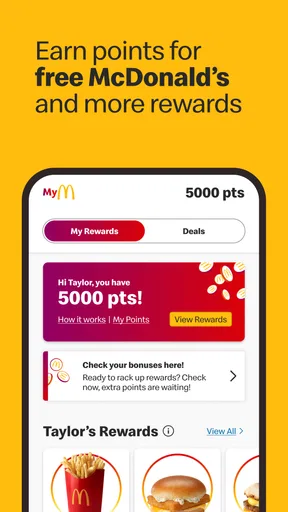
It also suits people who prefer to check for deals as part of their routine. The app brings offers and rewards into the same place as ordering, so you can make a quick check before paying rather than relying on a poster, a paper receipt, or memory. I would treat this as a reason to look, not a promise that every visit will come with a useful discount. The value depends on what is available and whether it matches what you wanted anyway.
The audience is broad: its content rating is Everyone, and the app is free to install. It has a 4.0 average from around 2.2 million ratings, with over 50 million installs. Those figures suggest that it is a familiar option for many customers, but they do not tell me whether ordering in an individual restaurant will be smooth. The practical test is whether the locations you use support the parts of the app you care about.
Choose it for a repeatable McDonald’s routine
A dedicated chain app is most useful when you have a regular pattern. If you often place a similar order, using the menu on your phone can make it easier to review the choices and prepare before you reach the restaurant. It can also help when you are ordering for a passenger or family member: you can settle the details together rather than trying to remember everyone’s preferences while standing at the counter.
One useful habit is to check the offer section before building your order, then decide whether an offer genuinely suits the meal you planned. That order of operations matters. Starting with a promotion can tempt you to add something you did not want; starting with your actual appetite makes it easier to judge whether the deal is worthwhile. I would not let a reward or offer dictate the meal if it turns a simple visit into extra spending.
Where the McDonald’s app earns its place
The biggest strength is having restaurant-specific tasks together: browsing, ordering, and checking for deals or rewards. A general-purpose food app may be better when you are choosing among many restaurants, but it is less focused on the experience of visiting this particular chain. Here, the menu and the order flow belong to McDonald’s, which makes the app a natural companion if you already know where you want to eat.
It can be especially helpful when the counter is busy or when you want to avoid making a decision in a hurry. I like the idea of being able to look through the menu in a calmer moment and then arrive with a clearer plan. For a quick stop between errands, that can remove one small source of friction. It is not the same as guaranteeing a faster handoff, though: the restaurant still has to prepare and provide the order.
Another practical advantage is keeping the deal check close to the purchase decision. Rather than treating rewards as a separate loyalty program to remember later, you can consider them while deciding what to order. My tip is to check the final order carefully before submitting it, especially if you have changed your mind while browsing. A little review at that point is easier than discovering at pickup that you meant to choose something else.
The app is a better fit for people who want to engage directly with the chain than for people who simply want the fastest possible way to buy lunch. If you already have a preferred order and there is no reason to browse or use an offer, ordering at the counter may be just as straightforward. The app adds value when its planning and deal-checking steps matter to you; it is not automatically an improvement for every visit.
When another kind of option makes more sense
If you are deciding what to eat rather than deciding what to order from McDonald’s, a multi-restaurant delivery or dining app is the more natural starting point. Those services are designed around comparing places, while this app is centered on one brand. I would use a broader service to explore nearby choices, then turn to McDonald’s’ own app only if I had settled on that restaurant and wanted its specific ordering or rewards tools.
Likewise, someone who visits McDonald’s only occasionally may not benefit much from adding another app to their phone. If you rarely use the chain, the time spent installing it, learning its layout, and checking for offers may outweigh the convenience. A quick counter order is a perfectly reasonable alternative for a one-off meal, especially if you do not care about digital rewards or advance planning.
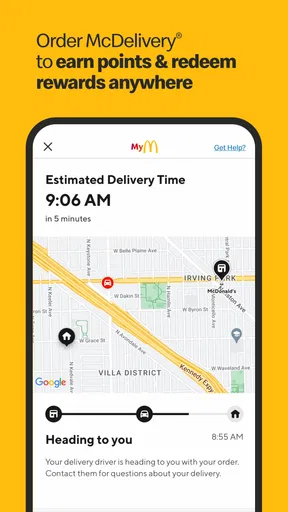
Delivery needs a little more thought. A restaurant’s own app can be appealing when you want to deal directly with that chain’s ordering experience, while a delivery marketplace may be preferable if you want to compare restaurants or manage several food orders in one place. I would choose based on the task, not assume that one route is always cheaper, faster, or available in every situation. The app is most compelling when the McDonald’s-specific features are the point.
It is also worth separating convenience from certainty. Preparing an order on your phone can make choosing easier, but the actual experience still depends on the restaurant and the kind of order you are placing. If you are in a hurry, check the order details and the selected location before you commit. That small pause is a useful safeguard whenever an app turns a familiar counter purchase into a few taps.
What changes when you move from counter to app
Switching is easy if all you want is to browse, but the habit change is bigger than the download. You have to remember to open the app, look through the options, and review what you have selected. For someone who enjoys deciding at the counter, that may feel like needless preparation. For someone who dislikes queues or needs to coordinate an order with another person, the same steps can make the visit calmer.
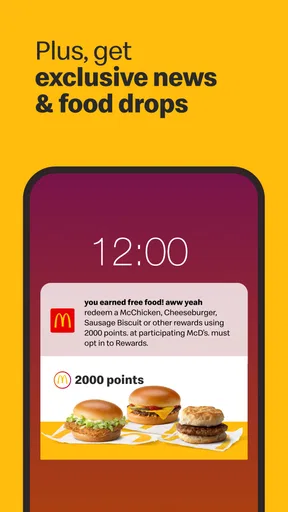
Rewards also work best when you build a simple routine around them: check what is available, compare it with what you intended to buy, and then decide. I would avoid chasing every offer simply because it appears in the app. A reward is only useful when it fits a purchase you would reasonably make. That is a more grounded way to judge the app’s value than counting how often you open it.
McDonalds USA, LLC is the developer, and the current version is 26.72.5. The app dates back to October 24, 2014, and its listed minimum operating-system requirement is version 9. If you are deciding whether to install it on an older device, checking that requirement first can save time. Once installed, the best reason to keep it is not novelty; it is whether ordering and checking offers become a regular part of your own McDonald’s visits.
My recommendation
I recommend McDonald’s to regular customers who like to browse before arriving, place orders through a chain-specific app, or remember to check available rewards. It is particularly useful when you are planning a quick stop, coordinating a meal for more than one person, or simply want a moment to review the menu without holding up a queue.
I would skip it if you rarely eat at McDonald’s, prefer to order face to face, or mainly need an app for comparing several restaurants. In those cases, the counter or a broader food-ordering service may suit you better. For everyone else, it is a sensible free tool to try, provided you treat offers as a bonus rather than the reason to buy. Its value comes down to a straightforward question: does having McDonald’s ordering and rewards together make your usual visit easier?
Pros and cons
Pros
- Mobile ordering lets you skip the counter at participating locations.
- The menu includes nutrition details for informed choices.
- You can save favorite orders for quicker repeat purchases.
- The app offers deals that can lower the cost of a meal.
- Order tracking helps you follow pickup or delivery progress.
Cons
- Mobile ordering is unavailable at some locations.
- Deals may require minimum purchases or specific items.
- Menu prices and offers can vary by restaurant.
- Delivery fees may increase the final order cost.
- Some app features require an account and location access.


